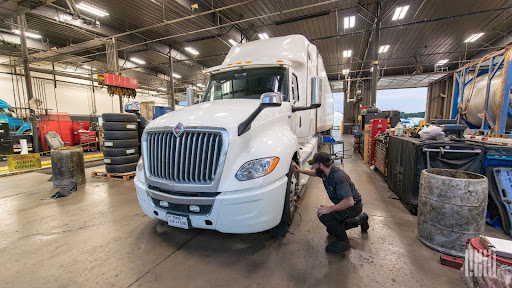
Let’s be clear—manual dispatch boards, whiteboards in the shop, and scribbled notes on the back of receipts don’t cut it anymore. Not if you’re serious about running a field-based operation that’s efficient, accountable, and scalable. Whether you’re managing roadside service trucks, mobile technicians, or heavy equipment repairs, the right field service management (FSM) software will determine if your business grows—or stalls.
And let me say this upfront: not all FSM platforms are created equal. A lot of the tools out there are built for plumbing, HVAC, or lawn care—not trucking or logistics. You don’t need cute icons and color-coded widgets. You need scheduling, dispatching, asset tracking, parts management, invoice generation, and technician accountability all in one clean system.
In this article, I’m breaking down the best field service management platforms out there—not based on hype, but based on real usability, industry fit, and how well they play in the trenches. No fluff. Just straight talk.
What Real Field Service Management Software Should Do
Before we get into the list, let’s get something straight: field service software isn’t just about scheduling jobs. A real FSM platform should be the operational nerve center for your service fleet.
Here’s what it needs to handle—day in and day out:
- Real-time technician dispatching with GPS tracking
- Work order creation with service history, parts used, and notes
- Mobile access for field techs to clock in, update jobs, and capture signatures
- Inventory and parts tracking across trucks and warehouses
- Automated billing and invoicing tied to completed service calls
- Customer communication through texts, emails, or branded portals
- Dashboards and reporting so you can spot what’s costing you time and money
If your current system doesn’t check these boxes—or worse, you’re piecing it together with spreadsheets and texts—you’re setting your techs (and your profit) up to fail.
Now let’s break down the top performers that are actually built to deliver results.
Top Field Service Management Platforms That Deliver
We looked at the FSM software that supports industries with mobile fleets, technicians, and high-stakes service delivery—especially in transportation, logistics, and heavy-duty operations.
Here’s how they stack up.
1. Service Fusion
Best For: Growing service companies that need robust features without enterprise pricing
Why It Works: Service Fusion hits that sweet spot between affordability and power. You get drag-and-drop dispatching, a full customer CRM, mobile apps for techs, inventory management, and QuickBooks integration—without the clunky interfaces that kill productivity.
Their mobile app is one of the best in the game. Your techs can clock in, view jobs, add notes, capture customer signatures, and even process payments—all from their phone or tablet.
Standout Features:
- No per-user pricing (flat rate means predictable monthly costs)
- Field tech mobile access with real-time updates
- GPS tracking and job history by customer
- Easy integration with QuickBooks and phone systems
Who It’s For: Small to mid-size operations looking to modernize fast without a five-figure rollout.
2. Housecall Pro
Best For: Service businesses that want modern design, fast onboarding, and automated workflows
Why It Works: While originally built for home services, Housecall Pro adapts well to mobile fleet operations that need clean scheduling, easy communication, and end-to-end service tracking. The interface is modern, intuitive, and techs pick it up with minimal training.
If you’re handling 10–50 service calls a day and want to tighten your operations without hiring extra admin staff, this tool gives you that lift.
Standout Features:
- Real-time job updates and “on my way” texts
- Batch invoicing and same-day payment collection
- Drag-and-drop calendar with color-coded views
- Built-in review requests and customer follow-ups
Who It’s For: Field ops with a heavy customer-facing component that want automation, not spreadsheets.
3. FieldEdge
Best For: High-volume operations that need dispatching and service agreement automation
Why It Works: FieldEdge is the veteran in the game—and it shows. Their system is built for businesses with complexity: recurring service contracts, asset history per location, multi-truck fleets, and tight schedules. The platform connects to QuickBooks in real-time (not batch sync) and gives you granular control over dispatch, quoting, and profitability by job.
If you’ve got a full calendar and want fewer mistakes, faster billing, and cleaner data, FieldEdge handles it.
Standout Features:
- Live QuickBooks integration
- Technician scorecards and time tracking
- Customizable forms and checklists
- Strong asset and location-level service history
Who It’s For: Midsize to large service teams running multiple jobs per tech, per day.
4. ServiceTitan
Best For: Operations ready to scale aggressively and invest in enterprise-level software
Why It Works: This is the heavyweight. ServiceTitan is packed with tools, automations, and analytics that can run a 500-person service business or power a 10-truck shop like an enterprise. It’s not cheap—but if you want every detail tracked, reported, and optimized, this is your play.
From call booking to technician dispatch to financing offers—ServiceTitan runs your entire front and back office on one platform. And the dashboards give you near real-time insight into job profitability, technician efficiency, close rates, and more.
Standout Features:
- Industry-best dashboards and analytics
- Dynamic pricing by customer or job type
- Built-in financing options and customer SMS
- End-to-end automation (from booking to billing)
Who It’s For: Teams ready for a serious software backbone to drive revenue and scale. If you’re still “managing by memory,” this will change the game.
5. Kickserv
Best For: Small teams that need something fast, functional, and affordable
Why It Works: Not every service business needs enterprise power. Kickserv focuses on the essentials: job scheduling, customer management, technician notes, and invoicing. It’s easy to set up, easy to train on, and it gets the job done without bogging your team down.
You can be up and running in a day—and your techs won’t need a manual to figure it out.
Standout Features:
- Mobile-friendly, with offline mode
- QuickBooks integration and easy estimate-to-invoice
- Clean job tracking and customer notes
- Easy scheduling tools for fast-moving teams
Who It’s For: Owner-operators or small service shops that want to stop running the business on sticky notes and text messages.
What to Watch For (Red Flags in FSM Software)
Not every platform deserves your data—or your money. Here’s what to avoid:
- Overpriced for your size – Don’t let a flashy demo convince you to spend $15K/year for features you’ll never use. Right-size the platform to your team and your growth plan.
- No offline access for techs – If your techs lose access in bad coverage areas, that’s a liability. Your software should work where your trucks go.
- No reporting tools – If you can’t pull a clean report on completed jobs, parts usage, or technician hours, the system’s working against you.
- Weak mobile app – Your field team lives on mobile. The app shouldn’t be an afterthought.
- No automation – If you’re still manually sending reminders or double-entering data, your software is wasting time.
How to Choose the Right FSM Software for Your Business
Don’t get stuck chasing features you’ll never use. Focus on these five areas:
- Size of your operation – Are you running solo with 1 truck or managing a fleet of 20 techs? Your software should match your scale without overcomplicating things.
- Type of service you provide – Roadside repair? On-site inspections? Equipment installations? Make sure the software supports the service types you run.
- Accounting integration – If it doesn’t plug cleanly into QuickBooks or your ERP, expect a lot of wasted time.
- Mobile usability – Your techs should be able to update jobs, get signatures, and check their schedules without calling dispatch every five minutes.
- Support and training – Implementation matters. Make sure your team gets onboarded quickly—and that support isn’t a black hole.
Final Word
In trucking and logistics, field service is more than just a side hustle—it’s a core function that deserves real systems. The right FSM platform gives you control, accountability, and visibility at every level of your business. It helps you spot wasted time, protect your margins, and deliver a better experience to your customers—without chasing down paperwork or micromanaging your team.
Don’t wait until your calendar’s full and your techs are drowning in paper to make the switch. Choose a platform that grows with you, supports your workflows, and puts you back in the driver’s seat.
Because out here, clarity, speed, and execution matter. And the right tools are what separate the busy from the profitable.
FAQ’s
1. What are the primary benefits of implementing Field Service Management (FSM) software for my business? FSM software offers numerous benefits, including improved efficiency through automated scheduling and dispatching, optimized routes, and real-time communication between the office and field technicians. It also leads to enhanced customer satisfaction by providing accurate appointment times, real-time updates, and faster issue resolution, ultimately boosting productivity and reducing operational costs.
2. What key features should I prioritize when choosing field service management software? Look for features such as intelligent scheduling and dispatching (often AI-powered), mobile access for technicians (including offline capabilities), robust work order management, real-time tracking (GPS), inventory and parts management, customer communication tools (e.g., automated notifications), invoicing and payment processing, and comprehensive reporting and analytics to track performance.
3. Which industries or types of businesses typically benefit most from using Field Service Management software? FSM software is highly beneficial for any business that dispatches technicians or personnel to customer locations or remote job sites. This includes industries like HVAC, plumbing, electrical services, IT services, telecommunications, property management, fire and security, appliance repair, and even healthcare for equipment delivery and maintenance. It helps streamline operations for small businesses and large enterprises alike.
Brokerage Compliance Symposium
The day before F3. Every compliance issue you face - fraud exposure, carrier liability, FMCSA rules, cargo theft, insurance gaps - navigated by attorneys and operators defining best practices in a changing industry.
F3 Awards Dinner
The night before F3. FreightTech100 companies honored. FreightTech 25 and Shipper of Choice winners revealed live. Cocktail reception into dinner and live music - 300 industry leaders in one purpose-built room.
F3: Future of Freight Festival
Industry-defining keynotes, rapid-fire technology demos, and industry leaders networking in experiences across Chattanooga - plus the inaugural F3 Awards Dinner featuring the FreightTech and Shipper of Choice reveals.
The day before F3. Every compliance issue you face - fraud exposure, carrier liability, FMCSA rules, cargo theft, insurance gaps - navigated by attorneys and operators defining best practices in a changing industry.
The Signal at Chattanooga Choo Choo • Chattanooga, TN Register NowThe night before F3. FreightTech100 companies honored. FreightTech 25 and Shipper of Choice winners revealed live. Cocktail reception into dinner and live music - 300 industry leaders in one purpose-built room.
The Signal at Chattanooga Choo Choo • Chattanooga, TN Register NowIndustry-defining keynotes, rapid-fire technology demos, and industry leaders networking in experiences across Chattanooga - plus the inaugural F3 Awards Dinner featuring the FreightTech and Shipper of Choice reveals.
The Signal at Chattanooga Choo Choo • Chattanooga, TN Register Now